
Anúncios
It’s possible! Today, with the help of apps available for both Android and iOS, you can transform your phone into a mobile version of Alexa.
 4.1
4.1
Amazon Alexa
Informações sujeitas a alteração. Consulte a loja oficial para detalhes atualizados.
Anúncios
You no longer need an Echo device to have a voice assistant in your daily life. If you want to take full advantage of your phone, and you want to know how, here are three apps that can help you achieve that.
Are you ready to transform your phone? Keep reading and find out how to do it.
1. Amazon Alexa (Official App)
Anúncios
Amazon Alexa is the official app that brings the power of Alexa to your phone. This app allows you to interact with your phone in an intuitive and functional way. You can ask questions, listen to music, control smart devices, and much more with just your voice.
Advantages:
- Voice commands: You just need to say what you need, and Alexa does it for you.
- Integration with smart devices: If you have devices at home, you can control them from your phone easily.
- Music and entertainment: Ask Alexa for songs, playlists, and control the volume with just your voice.
The app is compatible with both Android and iOS, allowing you to enjoy its advantages regardless of your device. Downloading it is quick and easy from the app stores.
2. Reverb for Amazon Alexa
If you’re already an Alexa user but want a more personalized experience, Reverb for Amazon Alexa is an excellent option. With this app, you not only have access to the traditional Alexa functions but also can personalize your experience and improve your interaction with the assistant.
Featured Characteristics:
- Quick access to Alexa: You don’t have to wait long to activate Alexa; everything is smoother.
- Easy setup: Personalize your preferences and adjust voice controls to your needs.
- Control of smart devices: Just like in the official app, you can control lights, cameras, and other smart devices from your phone.
This app is also available for Android and iOS, so you can take it everywhere. The experience is very similar to using an Echo device, but all directly from your mobile phone.
3. AIVC (Alice) – Your Voice Assistant
If you’re looking for something different, I recommend AIVC (Alice). This app is a voice assistant that doesn’t rely on Amazon but performs many of the functions we know from Alexa. It’s perfect if you’re looking for a completely functional assistant capable of interacting intelligently with your phone.
Featured Functions:
- Voice commands: You can dictate messages, search for information, and get quick responses.
- Accessibility: Ideal for people with difficulties interacting physically with the phone, as everything can be done by voice.
- App control: It can also open apps on your phone just by telling it what you want to do.
This app is compatible with Android and iOS, making it accessible to a wide range of users. AIVC is free and easy to install, so you can start enjoying a smart assistant on your phone in just a few minutes.
Why Should You Use These Apps?
Transforming your phone into a smart assistant offers several benefits. First of all, it provides you with a quick and efficient way to perform everyday tasks. You no longer need to waste time searching for information, opening apps, or taking notes, everything can be done with voice commands. This allows you to be much more productive, focusing on what really matters while your virtual assistant takes care of the rest.
Additionally, a voice assistant makes interacting with your phone more natural and simpler. You can perform a series of actions without having to touch the screen, which is especially useful when you’re driving or performing other manual tasks. For example, if you need to send a message to someone while cooking or driving, just say the name and the message content, and your assistant will do it for you.
Improving the Experience with Alexa
If you decide to use Amazon Alexa, you probably want to get the most out of its potential. One of the most interesting features is the wide range of “skills” that Alexa can learn. By adding new skills to your device, you can do things like control devices from different brands, ask Alexa to read you the news, tell you a joke, or even read your tarot.
The skills are extensions that add additional functions to the assistant, allowing Alexa to better adapt to your needs and become a more personalized tool. From apps that help you cook to those that allow you to manage office tasks, the possibilities are practically endless.
Alexa and the Smart Home
One of the reasons many users choose to use apps like Amazon Alexa or Reverb is due to their ability to control smart home devices. If you have smart lights, thermostats, security cameras, or even connected appliances, you can control them remotely or by voice. Just say, “Alexa, turn off the living room lights” or “Alexa, set the temperature to 22 degrees,” and your assistant will take care of it without you needing to get off the couch.
This not only improves comfort in your home but can also save energy. For example, you can program your lights to turn off automatically when you’re not at home or adjust your air conditioning temperature without touching a single button.
Alexa and Its Learning Capability
One of the most highlighted features of assistants like Amazon Alexa is their ability to learn. Over time, Alexa can get familiar with your routine and learn your preferences, which makes it even more intelligent and efficient in its performance. For example, it can suggest music based on your tastes, inform you about traffic on your usual route, or even make personalized recommendations based on your activities.
Thanks to artificial intelligence, voice assistants are continuously evolving, improving their ability to understand context and respond more naturally. This means the more you use your assistant, the better it will be at helping you.
Recommendations to Optimize Your Voice Assistant Experience
Although these apps offer a complete experience, there are some recommendations that will help you get the most out of them. Here are a few tips:
- Set up your assistant to your liking: Personalize voice settings, choose the language, and adjust privacy preferences.
- Connect smart devices: If you have smart lights, cameras, or thermostats, make sure to link them to your assistant for full control.
- Explore the skills: Don’t limit yourself to basic functions. Discover new skills that could make your life easier. From recipes to exercises, there are plenty!
- Perform periodic updates: Ensure your app is always up to date to take advantage of the latest features and security improvements.
- Use clear commands: Although Alexa and other assistants are intelligent, using clear and concise commands will help them understand your requests better.
Other Apps You Can Try
If you’re looking for more options to turn your phone into a voice assistant, in addition to Amazon Alexa and AIVC (Alice), there are other interesting alternatives. Google Assistant is an option you might want to consider, especially if you’re already a Google user. Google Assistant has great integration with Google services and can perform a wide variety of tasks, from setting reminders to helping you with real-time navigation.
Another option you might be interested in is Cortana, Microsoft’s voice assistant. While it has lost some relevance compared to Google and Amazon, Cortana is still useful for those within the Microsoft ecosystem who need an assistant that interacts seamlessly with their products.
Conclusion
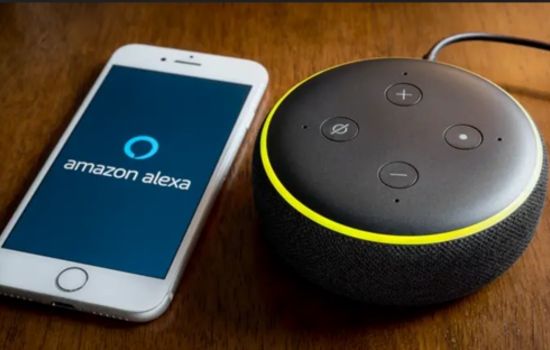
Undoubtedly, voice assistants are changing the way we interact with our devices. Through apps like Amazon Alexa, Reverb for Amazon Alexa, and AIVC (Alice), it’s easier than ever to turn your phone into an intelligent assistant. Whether you want to control your smart home, perform everyday tasks, or just get quick information, everything is possible with just your voice.
Technology has advanced to the point where we can now have a personal assistant at our fingertips, and the best part is you don’t need any extra devices. You can have it directly on your phone. So, if you haven’t tried these apps yet, I encourage you to do so. They will not only improve your productivity but also make your life easier and more comfortable.
Don’t miss the opportunity to take advantage of the benefits of a virtual assistant. Download one of these apps today and start enjoying a smarter experience!
See also
- The 3 Essential Apps to Track Global News
- Sneakers Whiter at Home
- Apps to Learn to Read and Write
- Photo Recovery Apps to Recover Deleted Photos
- Tired of your phone’s battery draining too fast?