
Anúncios
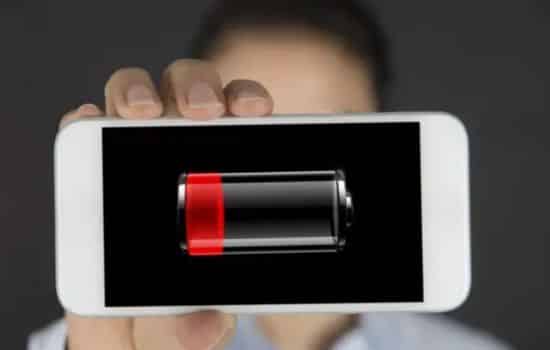
Smartphone batteries feel like a ticking clock, especially when you’re juggling work emails, streaming videos, and navigating with GPS. However, the right tools can stretch every percent and keep your device alive longer than you imagined.
In this article we’ll explore three standout apps that turn your phone into a power‑saving champion, and we’ll show you how to pick the perfect one for your daily routine.
Anúncios

Aplicativo
If you’ve ever wondered why your phone drains faster after a software update, you’re not alone. For example, AccuBattery gives you a clear picture of how much charge your battery can actually hold, while Battery HD+ serves up real‑time stats that let you plan your day around power availability.
Meanwhile, Greenify works behind the scenes, putting hungry background apps to sleep so they don’t steal your juice. Because of this trio, you can finally understand, monitor, and protect your battery with confidence.
How AccuBattery Helps You Charge Smarter
Anúncios
AccuBattery focuses on the health of your battery, not just the percentage on the screen. In addition, it measures the real capacity of the cell by tracking charge cycles during regular use. As a result, you receive alerts when the battery reaches an optimal charging level—usually around 80 %—which reduces wear and extends lifespan. For example, a user who enabled the “charge stop” notification reported a 15 % increase in overall battery health after a month.
Beyond simple alerts, the app visualizes energy consumption per app, letting you spot the hidden power hogs. Meanwhile, the “Battery Health” chart updates automatically, so you can see improvements over time. Because of this data, you can adjust your charging habits without guessing, and you’ll notice fewer sudden shutdowns during heavy usage.
Battery HD+: Real‑Time Insights at a Glance
Battery HD+ takes a different approach by offering detailed, real‑time information about your charge status. For instance, its widget displays remaining time for both screen‑on and standby modes, which helps you decide whether to grab a charger before heading out. In addition, the app provides customizable alerts for low battery, high temperature, and excessive discharge, ensuring you’re never caught off guard.
The interface is sleek and mobile‑friendly, making it easy to glance at stats without opening a full‑screen app. Meanwhile, the “Battery Usage” tab breaks down consumption by category—such as screen, Wi‑Fi, and apps—so you can identify patterns quickly. For example, a commuter who noticed that streaming music while on the subway was draining the battery faster switched to offline playlists, and their daily runtime increased by roughly 30 minutes.
Greenify: Killing Background Drains
Greenify excels at cleaning up the background processes that silently sap power. Instead of merely showing data, it actively hibernates apps that you haven’t used in a while. Because of this, CPU usage drops, and the device spends less time in high‑power states. For example, after hibernating social media apps that run in the background, a tester experienced a 10 % reduction in overall power draw.
The app also integrates with Android’s “Doze” mode, enhancing the system’s native battery‑saving features. Meanwhile, the “Aggressive Doze” setting can be toggled for even deeper sleep, which is especially useful for older phones with smaller batteries. Even so, Greenify respects user privacy by requiring no root access for its basic functions, making it safe for most users.
Choosing the Right Tool for Your Needs
When deciding which app to adopt, consider your personal usage patterns. If you’re a data‑driven user who loves charts and long‑term health monitoring, AccuBattery’s detailed analytics are ideal. On the other hand, if you prefer instant feedback and visual widgets, Battery HD+ offers the most immediate insight. Meanwhile, users who notice rapid drain due to background apps will benefit most from Greenify’s hibernation engine.
In addition, think about platform compatibility. Because AccuBattery and Greenify are Android‑only, iOS users will need to rely on Battery HD+, which supports both ecosystems. Therefore, a mixed‑device household might standardize on Battery HD+ for consistency. However, if you own an Android phone and want the deepest level of control, pairing AccuBattery with Greenify gives you both monitoring and active management.
Practical Tips to Maximize Battery Health
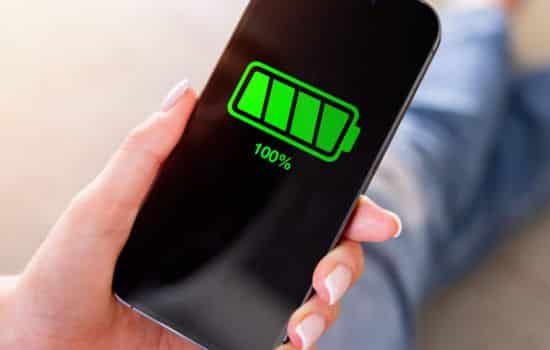
Regardless of the app you choose, a few universal habits amplify results. First, avoid charging your phone to 100 % every night; instead, aim for the 20–80 % sweet spot that reduces stress on the cells. Because of this, most modern batteries retain capacity longer. Second, enable adaptive brightness and limit background sync for non‑essential apps; meanwhile, turn off location services when not needed. Third, keep your operating system updated, as manufacturers often include power‑efficiency improvements.
For example, a freelance photographer who combined AccuBattery’s charge alerts with Greenify’s hibernation reported being able to shoot all day without a power bank. In addition, a college student who switched to Battery HD+ widgets noticed she could study longer in the library before needing a charger. These real‑world scenarios illustrate how small tweaks, powered by the right apps, translate into tangible time savings.
Conclusion
Your smartphone’s battery doesn’t have to be a constant source of anxiety. By leveraging intelligent monitoring, real‑time stats, and background hibernation, you can reclaim hours of usage each week. Modern apps designed to optimize battery life allow you to monitor and manage your phone’s power usage, offering insights into which apps drain the most power. Moreover, adopting smart charging habits—such as avoiding overnight charging and unplugging your device once it hits 100%—can significantly extend the lifespan of your battery.
Experiment with the apps that fit your lifestyle, adopt the habits outlined above, and watch your device stay powered through the busiest days. Remember, a well‑maintained battery not only lasts longer but also keeps your phone performing at its best—so you can stay connected, productive, and entertained without interruption. With the right approach, battery anxiety becomes a thing of the past, allowing you to enjoy your phone with confidence and peace of mind.
See Also
- How Modern Apps Reveal the Secrets of Vintage Cars
- Why Light Apps Like Facebook Lite Are Changing Mobile Browsing
- The Hidden Power of Chat Apps
- Top Apps That Identify Any Fish Instantly
- 3 essential apps for every rare coin collector
Download Links
