
Anúncios
Short‑form video is the heartbeat of social media today, and creators are always hunting for tools that turn a simple clip into a scroll‑stopping masterpiece.
Whether you’re a TikTok‑savvy teen, a small‑business owner showcasing products, or a seasoned marketer chasing engagement, the right editor can shave minutes off your workflow and add polish that feels professional.
Anúncios

CapCut – Video Editor
★ 3,4In this article we’ll explore three of the most popular free editors, highlight their standout features, and help you decide which one fits your style and goals.
When it comes to crafting eye‑catching reels and shorts, InShot, CapCut, and Funimate consistently appear at the top of recommendation lists.
Anúncios
Each app brings a unique blend of editing power, template libraries, and social‑ready export options, making them worthy of a closer look.
See Also
- Unlock Your Phone’s Full Sound Potential
- Unlock the Best Asian Drama Experience
- Unlock the Secrets: Who’s Checking Your Social Profiles?
- The Top 3 Mental‑Health Apps Redefining Wellness
- The Best Apps to Watch Live Matches Anywhere
Why Short‑Form Video Dominates Every Platform
The rise of Instagram Reels, YouTube Shorts, and TikTok has reshaped how audiences consume content. Because videos under 60 seconds load quickly, they generate higher completion rates and more shares. Consequently, algorithms reward creators with broader reach, creating a virtuous cycle of visibility. Moreover, brands have discovered that short clips convey messages faster than static images, driving higher click‑through rates. Therefore, mastering a reliable editor is no longer optional—it’s essential for staying competitive.
InShot: The All‑Rounder Editor
InShot stands out for its intuitive interface and seamless integration of both video and photo editing. The app lets you trim clips, add filters, and layer music with just a few taps, which is perfect for creators who want speed without sacrificing quality. For example, a fashion influencer can quickly splice together runway footage, overlay a trending track, and apply a vintage filter before publishing to Instagram Reels.
Because it supports both Android and iOS, you can switch devices without losing familiarity. In addition, the built‑in aspect‑ratio presets ensure your video fits perfectly on every platform, eliminating the dreaded black bars. However, the free version inserts a modest watermark; many users upgrade to the premium tier to unlock HD export and remove branding. Overall, InShot provides a balanced mix of simplicity and depth, making it ideal for beginners and intermediate editors alike.
CapCut: Power Features for Free
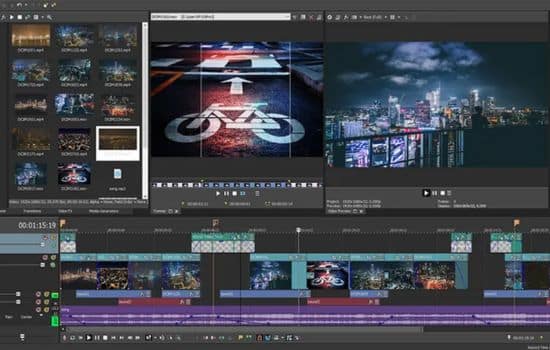
Developed by ByteDance, the company behind TikTok, CapCut offers a surprisingly robust set of tools at zero cost. Its timeline view gives you granular control over cuts, transitions, and keyframe animations, allowing for cinematic effects that rival paid software. For instance, a travel vlogger can use the “Remove Background” feature to isolate a subject, then add a dynamic zoom for a dramatic reveal— all without leaving the app.
Meanwhile, the extensive library of stickers, text animations, and royalty‑free music keeps your content fresh and on‑trend. Because CapCut automatically syncs with TikTok, you can upload directly after editing, saving precious time. On the other hand, the sheer number of options can feel overwhelming for newcomers; a short tutorial or template can help flatten the learning curve. Nevertheless, its free‑only model makes CapCut a powerhouse for creators who demand advanced capabilities without a subscription.
Funimate: Creative Flair for Social Feeds
If you love experimenting with visual effects and kinetic typography, Funimate delivers a playground of animated stickers, glitch transitions, and looping loops. The app’s “Live Effects” let you apply real‑time filters while recording, which is perfect for spontaneous TikTok challenges or Instagram Reels that need that extra pop. As a result, users can craft videos that feel uniquely personal, rather than generic edits.
Because Funimate emphasizes community‑driven templates, you can remix popular designs and add your own spin— a great way to stay current with viral trends. In addition, the app supports both Android and iOS, ensuring a consistent experience across devices. However, the free tier includes ads and limits the number of high‑resolution exports per day; upgrading removes these constraints and unlocks premium effects. For creators focused on artistic expression and trend‑hopping, Funimate offers a niche that other editors don’t fully cover.
Comparing the Three: Which One Wins Your Workflow?
When you line up InShot, CapCut, and Funimate side by side, several differentiators emerge. InShot excels at speed and ease‑of‑use, making it the go‑to for quick edits and cross‑platform consistency. CapCut shines when you need granular control, advanced effects, and direct TikTok integration, which is a boon for power users. Funimate, by contrast, specializes in eye‑catching animations and community templates, catering to creators who thrive on visual novelty.
Therefore, the best choice depends on your primary goals. If you publish across multiple platforms and value a straightforward workflow, start with InShot. If you aim to produce polished, story‑driven clips with sophisticated transitions, CapCut will likely serve you better. And if your brand relies on bold, kinetic visuals that stand out in a crowded feed, Funimate should be your sandbox. In practice, many creators keep two or more editors on hand, switching between them as the project demands.
Practical Tips to Maximize Your Short‑Form Editing
Regardless of which app you settle on, a few universal strategies can boost your efficiency and creative impact:
- Plan Your Storyboard – Sketch a quick shot list before you record. This reduces wasted footage and speeds up the trimming process.
- Leverage Preset Aspect Ratios – Choose the correct ratio (9:16 for Reels, 1:1 for feeds) at the start to avoid re‑exporting later.
- Use Royalty‑Free Music Libraries – All three apps provide built‑in tracks; picking a trending song can increase discoverability.
- Add Captions Early – Since many viewers watch without sound, overlaying concise text improves engagement.
- Export in Highest Available Quality – Even if the platform compresses the video, starting with a high‑resolution file preserves detail.
By integrating these habits, you’ll extract the most value from InShot’s simplicity, CapCut’s depth, or Funimate’s flair, turning raw clips into share‑worthy content in minutes rather than hours.
Conclusion
Short‑form video isn’t a passing fad; it’s the lingua franca of modern digital storytelling. With the right editor—whether you gravitate toward InShot’s balanced toolkit, CapCut’s feature‑rich engine, or Funimate’s creative playground—you can produce reels and shorts that capture attention, convey your message, and grow your audience. Experiment, iterate, and let the tools empower your imagination. The next viral clip could be just a tap away.
Download Links
Funimate – Android / iOS
InShot – Android / iOS
